
The Club Simulator
A desktop flight simulator in the club office, free for members to use. Practise a procedure, fly an approach until it is clean, or just find out whether you like this before you pay for an hour in a real aircraft.
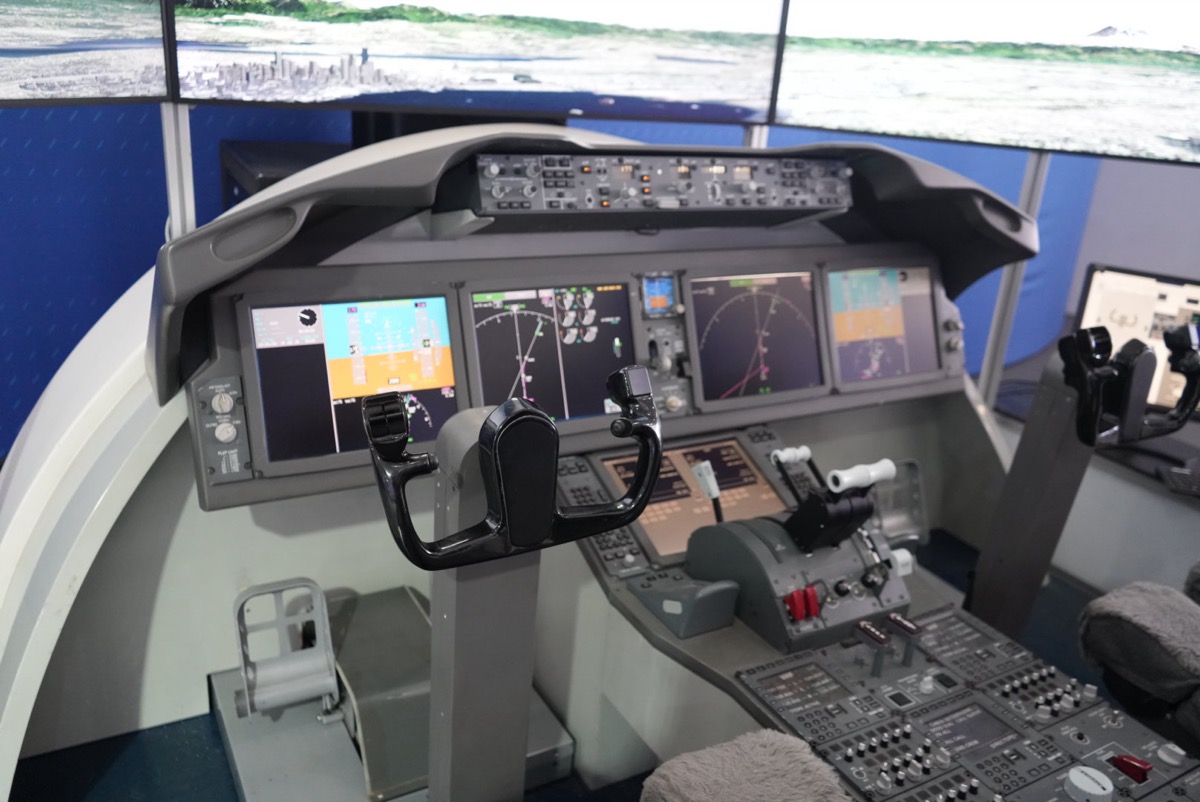
Access needs two things: a door and a password. The door is club office access, which MIT grants, not the club, so the committee puts your Kerberos forward. The password for the simulator itself appears in your member portal once an officer has approved you. Both come from one request, below.
Requesting access
One request covers both the office and the simulator.
- Sign up on MIT Engage if you have not already. The request form asks you to confirm this, and the committee checks it.
- Sign in and ask, under Office access in your member portal. It needs your full name, your MIT email and your Kerberos username. The form is behind sign-in on purpose: this is access to a room, so the club needs to know who is asking.
- An officer approves it, then asks MIT to add your Kerberos to the office. That part is up to MIT and usually takes a few days, so you will hear from them rather than from us once the door works.
- The simulator password appears in your portal as soon as you are approved, under Office access. It is never emailed and it is not printed anywhere on this site. Please keep it to yourself.
What it is good for
It is a procedures trainer, not an aircraft. The flying it rewards is the flying that is expensive to practise in the air and cheap to practise on the ground.
- Instrument approaches. Fly the same approach ten times in an evening. You cannot do that in a real aeroplane for any sensible money.
- Radio work and checklists. Rehearse the flow and the phraseology until they are boring, so they are boring in the aircraft too.
- Emergencies. Engine failures and diversions, as often as you like, with nothing at stake.
- Cross country planning. Fly the route you planned on paper and see where your plan was optimistic.
- Deciding whether to start. If you have never touched the controls of anything, this is the cheapest possible first go: free.
What it is not
Time on it does not count toward a certificate or a rating. Only an approved aviation training device or a simulator logged with an authorised instructor counts, and this is neither. Treat it as practice, not as hours. If you are after loggable simulator time, the local flight schools run training devices that qualify, and non-U.S. citizens should read the TSA note before booking instruction anywhere.
Where it is
Room W20-445 in the Stratton Student Center, which is the club office. Approved members get in with their own MIT ID; there is no key to collect and nobody to meet.
House rules
Nobody polices these. They are just what keeps a shared machine usable.
- Leave it as you found it. Quit to the desktop, put the yoke and throttle back where they were, and push the chair in.
- Do not reinstall or reconfigure anything. If something is broken or a setting is wrong, tell the committee rather than fixing it: the next person's muscle memory depends on the controls staying put.
- Share it. If somebody else is waiting, an hour each is plenty. Flying an approach twenty times is better done on a quiet evening.
- Do not pass the password on, and do not let someone in who has not been approved. Access is per person because the office is MIT's, not ours to lend.
- Food and drink. Not next to the hardware, please.
Simulator nights
The club runs simulator events through the year, including a landing contest where members fly an approach and compete for the smoothest touchdown. Those are open to everyone, with no office access needed, because an officer is there to let people in. Watch the events page and Slack.
Something wrong with it?
Email flying-exec@mit.edu or post in the club Slack. Say what you were doing and what it did, and somebody will look at it. A simulator nobody reports is a simulator that stays broken.